
Two problems every rider knows.
You can't hear each other.
- You say “sorry, what?” more often than you’d like.
- In the arena, instructions from the far side arrive in fragments.
- On a ride, the group strings out and the front can't talk to the back.
- Wind, hooves and distance swallow part of every sentence, wherever you ride.
The lesson ends and the tips are gone.
- You were busy riding, not taking notes.
- By the time the horse is untacked, half of what was said has faded.
- Next week you get the same correction again.
How SaddleTalk solves both.
One app for both problems: a clear voice in your ear while you ride, and the whole lesson written down for you afterwards.
Talk to each other at normal volume, wherever you ride.
Put in your earbuds and start a session. Your instructor talks to you as if you were on a phone call: both ways, at normal volume, from anywhere in the arena or on the trail. Any Bluetooth headset works, and wind and background noise are filtered out. Out on a ride, the whole group stays in one conversation, even when the riders are spread out.
- Both ways, at the same time
- Wind and background noise filtered out
- Works over Wi-Fi or mobile data, so distance doesn't matter
- Your phone and earbuds instead of fragile hardware radios
Your lesson, written down for you.
While you ride, SaddleTalk listens. A few minutes after the lesson, the full story of what happened is in the app, from warm-up to cool-down, with the action points your instructor gave you. You can read it on the way home and practise it before your next lesson.
- The lesson story: what happened, in order
- Action points, taken from what was actually said
- Your history, kept, so you can see your progress
You started with ten minutes of walk on a long rein to loosen up. In rising trot Sophie asked for your heels down twice, and once they stayed there the rhythm settled. You then rode 20-metre circles at A and C. The left rein was even, but on the right rein your horse still drifted out. The last part was canter transitions on the right rein: three attempts, and the third one was clean. You finished with a stretchy walk.
Up and running in three steps.
Made for everyone at the stable.
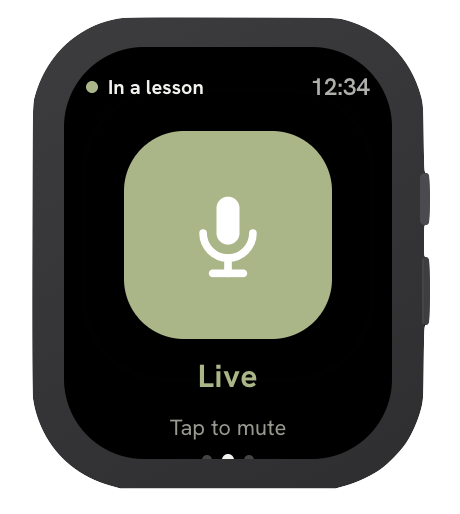
Designed to be used in the saddle.
The buttons are big and the screens are quiet, so you can use the app with gloves on.
What riders ask us
Do I need special equipment?
Does it work in a big outdoor arena?
Who can read my lesson stories?
Which languages does SaddleTalk understand?
Help us test SaddleTalk.
We're looking for riders, instructors and riding schools to try SaddleTalk before launch. Leave your name and we'll get in touch.